

AI is quickly becoming one of the most talked-about opportunities in sales and marketing technology.
Businesses want AI to summarize leads, prioritize opportunities, recommend next steps, enrich records, write follow-up emails, forecast revenue, and tell managers what is really happening in the pipeline.
That all sounds great.
But there is one uncomfortable truth many companies are skipping over:
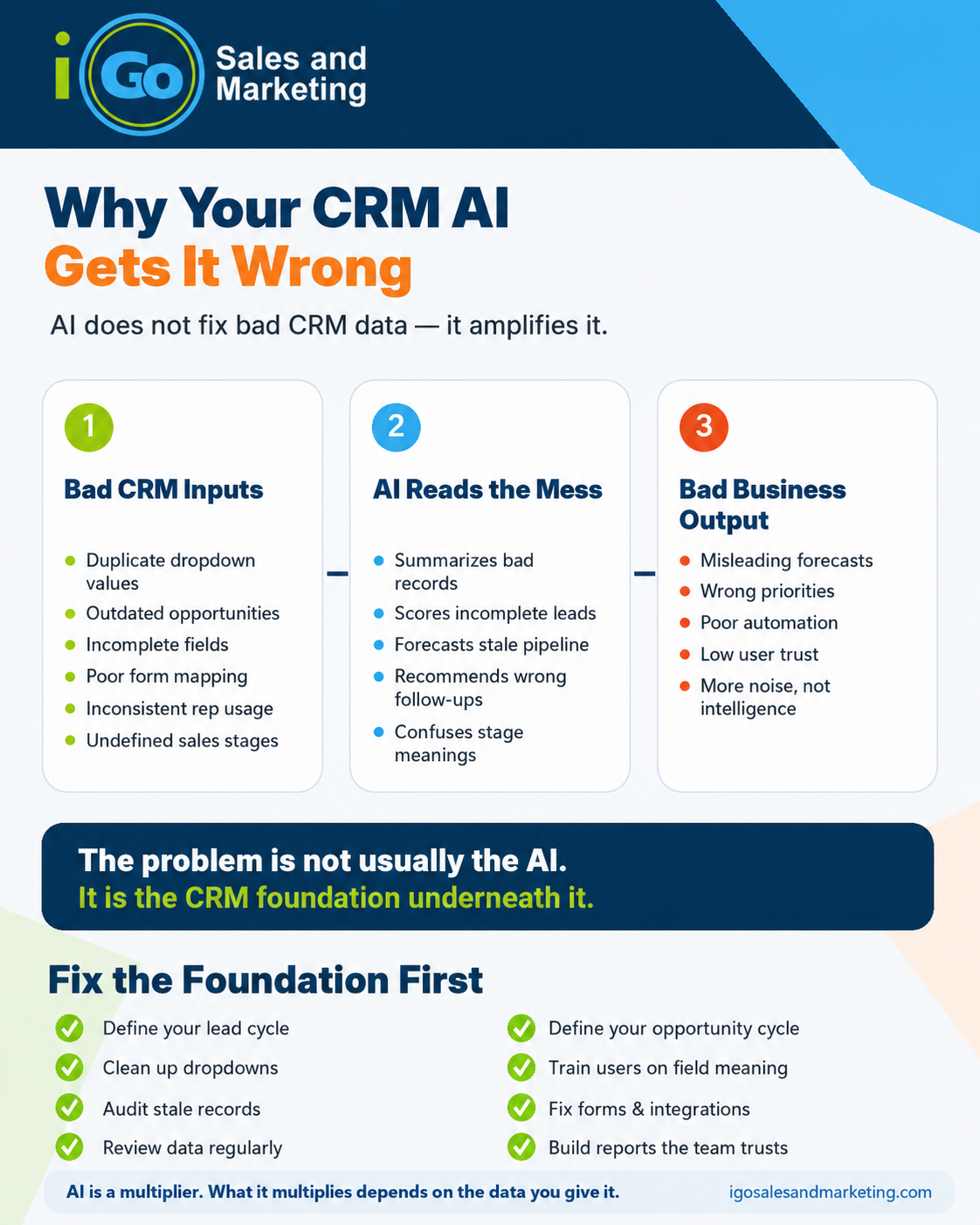
If your CRM data is messy, inconsistent, outdated, or poorly understood, AI will not fix the problem. It will amplify it.
AI does not magically know your sales process. It does not automatically understand which fields matter, which dropdown values are meaningful, or whether your reps are using the CRM consistently.
It works from the data you give it.
And if that data is unreliable, your AI output will be unreliable too.
AI Needs Context, Not Just Data
One of the biggest misconceptions about AI in CRM is that simply connecting an AI tool to your database will create instant intelligence.
But CRM data is not always self-explanatory.
A field called “Status” might mean one thing to sales, another thing to operations, and something completely different to management. A dropdown value like “In Progress” might be used for active opportunities, stalled opportunities, unqualified leads, or records nobody knows what to do with.
AI may be able to summarize the field value, but it cannot always infer the business meaning behind it.
That is where hallucinations and bad recommendations start.
If your CRM says an opportunity is open, but the quote expired six months ago, what should the AI conclude?
If five dropdown values all mean roughly the same thing, which one should the AI treat as correct?
If some reps update close dates and others ignore them, how reliable is the forecast?
If web form fills are missing key fields or populating records inconsistently, how useful is automated lead scoring?
AI needs more than data. It needs clean, structured, meaningful data tied to a clearly defined business process.
Common CRM Problems That Lead to Bad AI
Most AI problems in CRM are not actually AI problems.
They are CRM basics problems.
For example:
Dropdowns That Nobody Understands
Dropdowns are supposed to create consistency. But over time, they often become cluttered with duplicate, outdated, or overlapping values.
You might see values like:
- New
- Open
- Active
- In Progress
- Working
- Contacted
On paper, those all look different. In practice, they may all mean “someone should probably follow up.”
That creates problems for reporting, automation, training, and AI.
If people cannot clearly explain the difference between dropdown values, AI will not magically know either.
Fields That Exist But Are Not Used
Many CRMs have fields that were added years ago for a report, campaign, integration, or manager request.
Nobody uses them anymore, but they are still there.
Some are half-populated. Some are populated incorrectly. Some are populated by one team but ignored by another.
When AI analyzes those fields, it may treat them as meaningful even though the business no longer trusts them.
That can lead to summaries, recommendations, and scoring models based on stale or misleading data.
No Shared Definition of the Sales Process
AI can be very useful when the sales process is clearly defined.
But many companies have never fully documented their lead and opportunity lifecycle.
What makes a lead qualified?
When should a lead become an opportunity?
What does each opportunity stage mean?
When should a quote be marked closed won, closed lost, expired, or abandoned?
What activity should happen before an opportunity moves to the next stage?
If the team does not have a shared answer to those questions, the CRM becomes a collection of personal habits instead of a reliable business system.
AI cannot build accurate recommendations on top of inconsistent behaviour.
Conext matters with AI, if your sales team doesn’t know the context, how will the AI?
Reps Using the CRM Differently
One sales rep may update every opportunity after every call.
Another may only update records before a sales meeting.
Another may keep notes in email, spreadsheets, or their head.
Another may create quotes but never close them out.
From a management perspective, all those records sit in the same CRM. But they do not represent the same level of accuracy.
AI may summarize the pipeline, but the pipeline itself may not reflect reality.
Outdated Open Opportunities and Quotes
This is one of the most common CRM issues.
Open opportunities sit in the pipeline long after they are dead. Quotes remain open even though the customer went silent. Close dates are pushed forward month after month. Stalled deals are not marked lost because nobody wants to admit they are lost.
Then AI is asked to forecast revenue or identify promising opportunities.
The result?
It may recommend follow-up on deals that are already dead. It may overstate pipeline value. It may miss the difference between a real sales opportunity and historical clutter.
Poor Web Form and Integration Data
Another common issue is bad data entering the CRM automatically.
Website forms, landing pages, chat tools, marketing automation platforms, and third-party integrations can all create or update CRM records.
But if those integrations are not mapped properly, you can end up with incomplete lead sources, missing campaign data, inconsistent contact records, duplicate accounts, or important fields left blank.
AI can only analyze what comes in.
If the intake process is broken, the AI output will be too.
The Real Problem: CRM Maturity
Before adding AI to your CRM, it helps to ask a more basic question:
Is your CRM mature enough for AI?
That does not mean the system needs to be perfect.
But it does mean the business should have a reasonable level of discipline around how data is captured, maintained, and interpreted.
A CRM that is ready for AI usually has:
- A clearly defined lead lifecycle
- A clearly defined opportunity lifecycle
- Meaningful sales stages
- Clean dropdown values
- Required fields that actually matter
- Consistent data entry rules
- Basic user training
- Regular data review
- Reporting that the team already trusts
- Integrations that populate records correctly
Without those foundations, AI may create more noise than value.
Go Back to Basics Before You Automate
The solution is not to avoid AI.
AI can be extremely valuable inside a CRM when it is applied to the right foundation.
But before asking AI to recommend the next best action, write follow-up emails, score leads, summarize accounts, or forecast sales, it is worth going back to basics.
Start by reviewing the core sales process.
Define what a lead is. Define when a lead becomes qualified. Define when an opportunity should be created. Define what each opportunity stage means. Define what information needs to be captured at each stage.
Then look at the CRM fields that support that process.
Which fields are actually useful?
Which fields are required but ignored?
Which dropdowns have too many overlapping values?
Which reports depend on fields that are inconsistently populated?
Which automations or integrations are creating bad data?
Which records are stale and need to be closed, cleaned, merged, or archived?
This work is not always exciting.
But it is the work that makes AI useful.
AI Works Best When the CRM Reflects Reality
The goal is not just to have more data.
The goal is to have data that reflects reality.
If a deal is dead, the CRM should show that it is dead.
If a quote is still active, the CRM should show who owns it, when the last follow-up happened, what the next step is, and what stage it is really in.
If a lead came from a web form, the CRM should capture the source, campaign, interest, geography, and any other information needed to route or qualify it properly.
If a sales stage says “Proposal Sent,” everyone should know exactly what that means.
That is when AI becomes powerful.
Now AI can help identify stale opportunities. It can summarize account history. It can suggest follow-up actions. It can flag missing information. It can help managers spot process breakdowns. It can help reps prepare for calls. It can help prioritize the right leads.
But the intelligence comes from the combination of AI and a well-structured CRM.
Not AI alone.
A Simple CRM AI Readiness Checklist
Before investing heavily in AI for your CRM, ask these questions:
1. Are our lead stages clearly defined?
Can everyone explain what each stage means and when a lead should move forward?
2. Are our opportunity stages tied to real buyer progress?
Or are they vague labels that reps interpret differently?
3. Are our dropdown values clean and meaningful?
Or do we have several values that all mean the same thing?
4. Are key fields consistently populated?
Or are important reports based on incomplete data?
5. Are old opportunities and quotes being closed properly?
Or is the pipeline full of stale records?
6. Do web forms and integrations populate the CRM correctly?
Or does bad data enter the system automatically?
7. Do users understand why fields matter?
Or are they just filling in fields because the system forces them to?
8. Do managers review CRM data regularly?
Or does cleanup only happen when reporting breaks?
9. Do we trust our CRM reports today?
If not, AI will not magically make them trustworthy.
10. Is there a shared sales process behind the data?
AI works best when the CRM reflects a process, not a collection of individual habits.
The Bottom Line
AI can be a major advantage for sales and marketing teams.
But it is not a shortcut around CRM discipline.
If your CRM is cluttered, inconsistent, outdated, or poorly understood, AI will struggle to produce useful answers. It may summarize bad data beautifully. It may recommend actions based on outdated records. It may create confidence without accuracy.
That is the real risk.
Before asking AI to make your CRM smarter, make sure your CRM is ready to be made smarter.
Clean up the data. Clarify the process. Simplify the fields. Train the team. Review the pipeline. Fix the integrations.
Then AI has something useful to work with.
Because in the end, AI is not a replacement for good CRM fundamentals.
It is a multiplier.
And what it multiplies depends on what you give it.